
How to Get Client Approval on Social Media Content Without WhatsApp
 jyoti//7 min read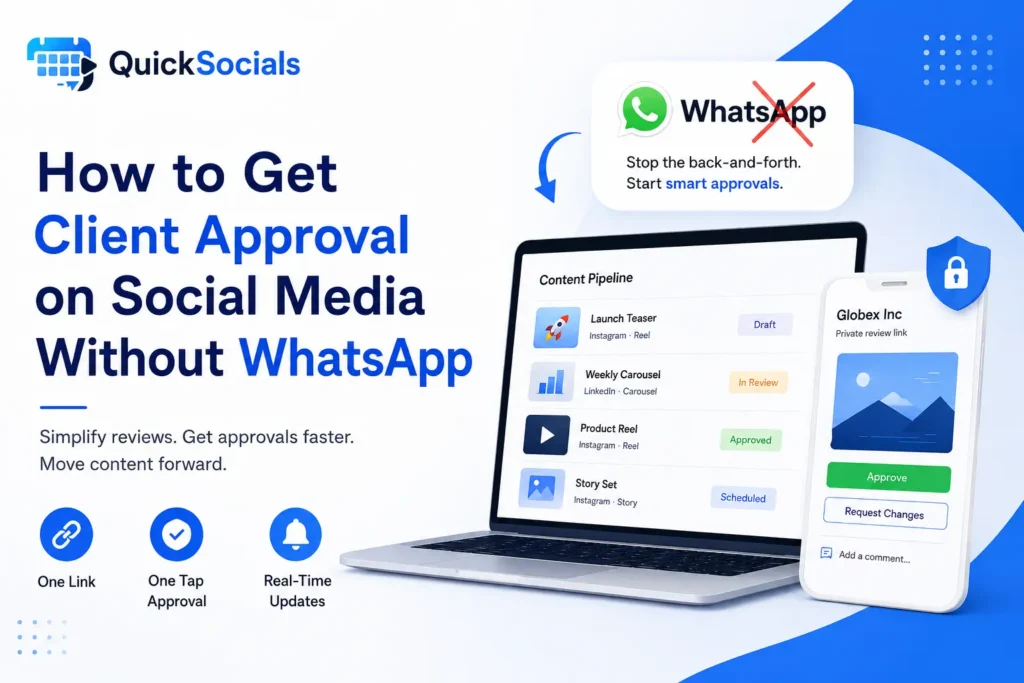
A Social Media Approval Tool helps you get client approval without WhatsApp by giving clients one dedicated review link where they can view the complete post, request changes, or approve the content in one place. This keeps the creative, caption, feedback, and approval status together instead of spreading the process across WhatsApp messages.
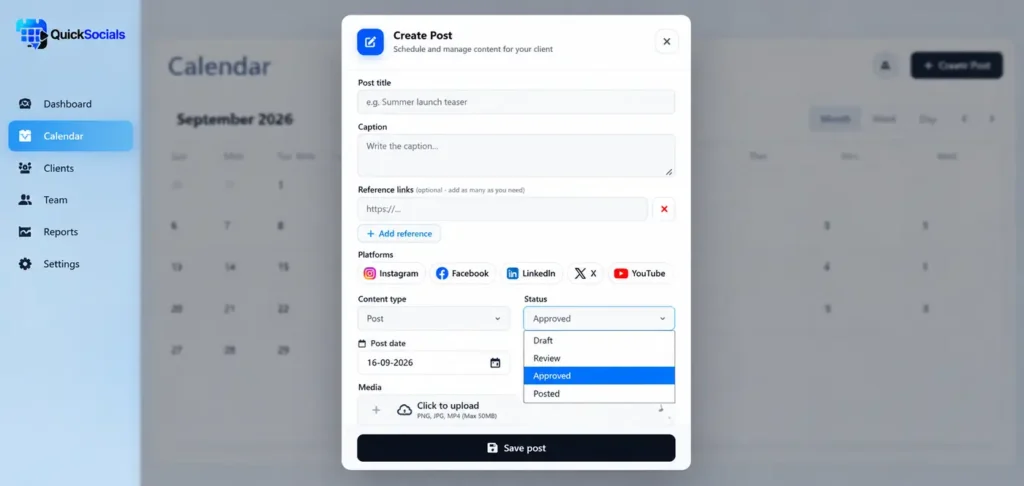
A social media approval tool can save you from the endless WhatsApp messages, follow-ups, and scattered feedback that come with getting client content approved.
For SMM freelancers and agencies, this back-and-forth becomes even harder when multiple clients and posts are being managed at the same time. A Social Media Approval Tool gives each post a clear place for review instead of leaving approval decisions inside separate conversations.
In this guide, we’ll look at how to get client approval without WhatsApp, what a simple approval workflow should look like, and how a Social Media Approval Tool can make the process easier.
Why does WhatsApp make social media approvals harder?

WhatsApp makes social media approvals harder because client feedback, revisions, creatives, and approval messages can end up scattered across different conversations.
Think about a typical agency workflow. You send a creative message on WhatsApp, share the caption in another message, and the client replies later with a change request.
Now imagine doing that for several clients and dozens of posts.
That’s where things start getting messy.
A Social Media Approval Tool gives this process a dedicated place – where the creative, caption, feedback, and approval status can stay connected to the right post.
The goal isn’t necessarily to stop using WhatsApp. Use WhatsApp for communication if your clients prefer it; use a structured approval workflow for the actual approval.
What should a simple client approval process look like?
A simple client approval process should move through five clear stages:
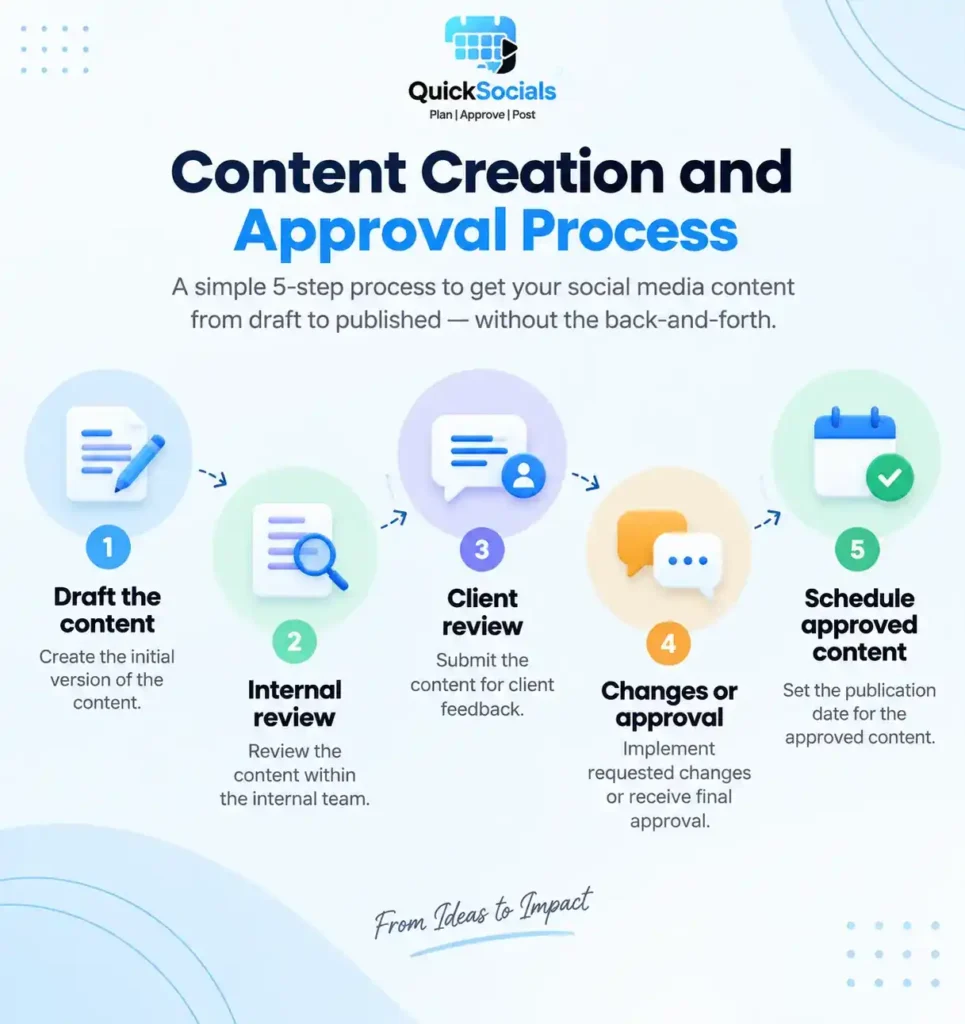
create the content, review it internally, send it to the client, handle any requested changes, and get final approval before scheduling.
Each stage should have a clear owner and status so your team knows exactly what needs to happen next.
For an SMM freelancer or agency, the process can stay simple:
1. Draft the content
2. Internal review
3. Client review
4. Changes or approval
5. Schedule the approved content
If you’re setting up a more detailed workflow for an agency, our guide to a social media approval workflow for agencies can help you map each stage and define who is responsible for it.
For freelancers managing several accounts, a Social Media Approval Tool can make this workflow easier to follow by keeping pending, revised, and approved content visible in one place.
A similar structured approach is recommended in Hootsuite’s social media approval workflow guide, which outlines clear approval stages, defined roles, centralized tools, and deadlines to keep content moving from draft to publication.
How can you get client approval without WhatsApp?
You can get client approval without WhatsApp by giving clients one dedicated place to review the complete post, request changes, or approve the content.
Instead of sending creatives, captions, and revision notes through separate messages, the client can review everything together and make a clear decision.
A simple workflow looks like this:
Create → Internal Review → Client Review → Changes → Approval → Schedule
The important part is keeping each step clear. Before anything reaches the client, your team should check the creative, caption, links, platform, and publishing details.
The client then receives the finished content rather than becoming part of your internal editing process.
What makes a client approval process easy for SMM freelancers?

A good client approval process for social media content should make the next step obvious for both sides.
The freelancer should know what is waiting for review, while the client should be able to open the content, understand what they’re looking at, and respond without asking where to find the latest version.
A practical approval setup should include:
- The complete post: Show the creative and caption together.
- Platform details: Make it clear whether the content is for Instagram, Facebook, LinkedIn, or another platform.
- Clear feedback: Let clients point out exactly what needs to change.
- Approval status: Make it obvious whether a post is pending, needs changes, or is approved.
- A clear deadline: Give clients a specific time by which the content needs to be reviewed.
This matters even more when you’re handling several clients at once.
How can you reduce client approval delays?
The simplest way to reduce client approval delays is to make reviewing the content quick, clear, and easy to act on.
Give clients the complete post in one place, set a specific deadline, keep revision requests attached to the right post, and send reminders before-not after-the publishing date.
You don’t need to send five follow-up messages just to get a yes or no. Instead, build a process where the client immediately knows what is waiting for them.
A few small changes can make a noticeable difference:
- Send complete content
- Set a clear deadline
- Keep feedback specific
- Use one review location
- Send timely reminders
- Keep approved versions clear:
For example, instead of:
“Hey, just checking if you saw the post?”
try:
“Hi! This week’s Instagram posts are ready for review. Please approve or share any changes by Thursday at 3 PM so we can keep Friday’s publishing schedule.”
The difference is small, but the second message gives the client context, an action, and a reason for the deadline.
Why QuickSocials Is Built for Faster Client Approvals
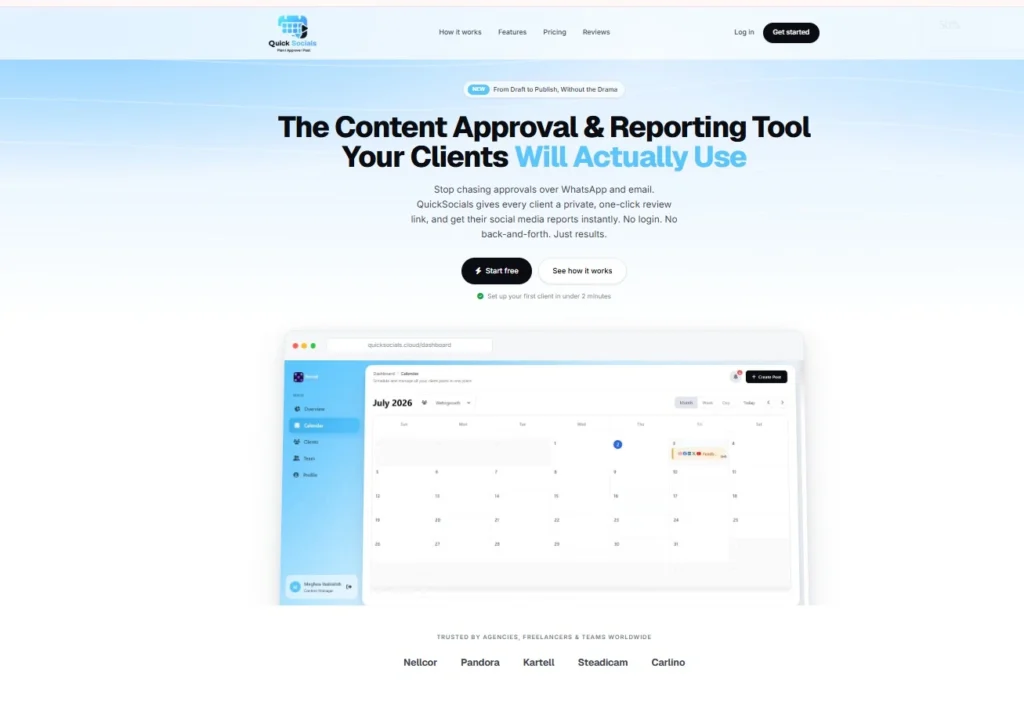
QuickSocials puts the actual review and approval process in one place, with one-click client approvals designed for agencies that don’t want every review to happen inside a chat thread.
Each client gets a private, one-click review link where they can review, comment on, and approve their content without creating an account or logging in.
For your team, the workflow stays visible. You can manage content through a visual content calendar, see posts by client, assign team members to specific clients, and receive real-time approval notifications when clients take action.
The process looks like this:
Prepare content → Share private review link → Client reviews → Client comments or approves → Team moves the content forward
So you can still send the QuickSocials link through WhatsApp if that’s how you normally communicate with a client. WhatsApp remains the communication channel; QuickSocials handles the approval.
That distinction is the whole point.
How does QuickSocials simplify client approvals?
QuickSocials gives agencies one place to share social media content, collect client feedback, and get approval without making clients create an account or log in.

Instead of managing the approval through scattered WhatsApp messages, you can send a private review link with the content ready for the client to check.
The workflow stays simple:
Create content → Share review link → Client reviews → Feedback or approval → Schedule
Clients can review the post, request changes, or approve it directly. Your team can then see which content is waiting, which needs revisions, and which is ready to move forward.
If you’re comparing different platforms for your agency, our SocialPilot vs QuickSocials comparison covers the key differences between the two workflows.
Stop Chasing Approvals Across WhatsApp
If you’re constantly checking “Did the client approve this?”, searching for the latest creative, or following up on feedback that got buried in a chat, the problem isn’t necessarily your client-it’s the approval workflow.
Give clients one clear place to review the content, make changes, or approve it, and keep the conversation connected to the post.
If you want to see whether a simpler workflow works for your agency, try QuickSocials and move your next batch of client content out of the WhatsApp approval mess.
Frequently Asked Questions
How do I get client approval for social media content?
Send the client the complete post through one review link, let them request changes or approve it, and keep the final approval connected to that content.
Can clients approve social media content without logging in?
Yes. Clients can approve social media content without logging in when the approval tool provides a private review link with no-login access.
What is a Social Media Approval Tool?
A Social Media Approval Tool gives agencies a dedicated place to share content, collect client feedback, track approval status, and get final approval before publishing.
How can I reduce social media approval delays?
Make the review process easy, give clients complete content, set clear deadlines, keep feedback in one place, and send timely reminders before the publishing date.