
Best Social Media Approval Software for Agencies in 2026
 jyoti//7 min read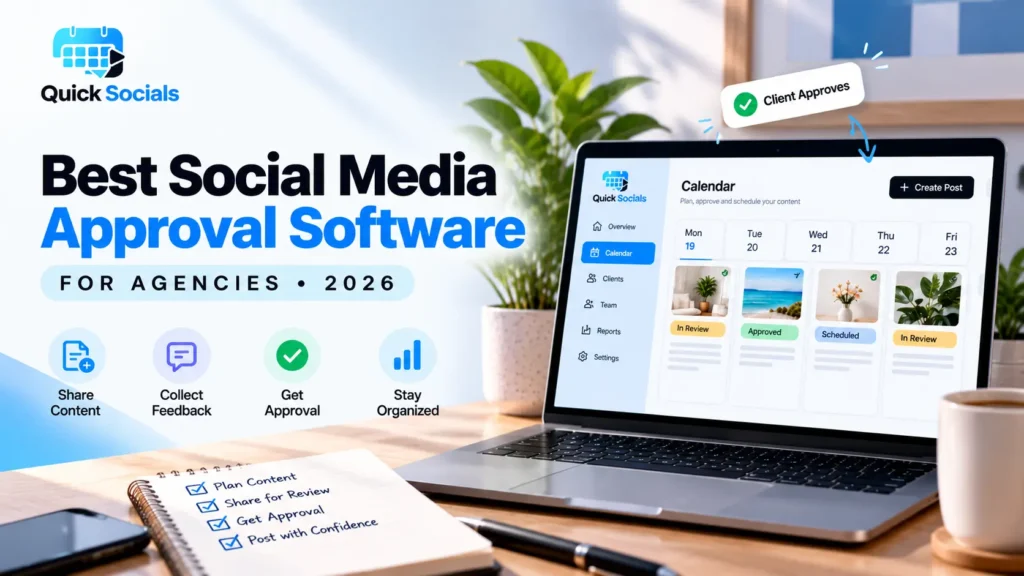
Best social media approval software for agencies helps marketing teams share content drafts with clients, collect feedback, manage revisions, and keep approvals organized before publishing. The right tool should make it easy to review posts, clarify responsibilities, and manage multiple client accounts without relying on scattered WhatsApp messages or email threads.

Looking for a better way to get social media posts approved by clients? If your team spends more time following up on captions, checking messages, and finding the latest design than creating content, your approval process may need an upgrade.
The solution is not simply to send more reminders. It is to build a clear process where clients know what to review, where to leave feedback, and how to approve the final version.
In this guide, we will explore the essential features of approval software, how to compare different options, and how QuickSocials can help agencies organize content reviews.
What Is Social Media Approval Software?
Social media approval software is a tool that helps teams share draft posts with clients or internal reviewers, collect feedback, and track approval status before content moves forward.
Instead of sending every image and caption separately, agencies can use a centralized review process. Depending on the software, reviewers may be able to comment on content, request changes, or approve a draft through a shared link.
A typical workflow looks like this:
- Create the social media post and prepare its caption.
- Submit the draft for review.
- Let the client check the content and provide feedback.
- Make the requested changes.
- Record approval before moving to the next publishing step.
A structured process helps everyone understand what needs attention and reduces confusion about which version is final.
If your agency also struggles with planning content for different brands, read our guide on managing social media for multiple clients without losing track.
Why Do Agencies Need Client Content Approval Software?
Agencies need client content approval software because content creation often involves several people, deadlines, and revision rounds. Without a consistent process, even straightforward posts can become difficult to manage.
Consider an agency handling five clients. Each client may have different brand guidelines, preferred posting times, and approval requirements. Managing all those conversations manually can quickly become complicated.
A dedicated approval workflow can help agencies:
- Keep feedback connected to the relevant content.
- Reduce repetitive follow-up messages.
- Track which posts are awaiting review.
- Maintain a clearer record of requested changes.
- Separate content for different clients.
- Avoid treating an unapproved draft as publication-ready.
The goal is not to eliminate communication. It is to make communication easier to follow and act on.
Which Features Should You Look for in Social Media Approval Tools for Agencies?

The best choice depends on how your agency works. Before selecting social media approval tools for agencies, evaluate these essential features.
1. Easy client access
Clients should be able to review content without unnecessary steps. Some tools provide private review links that allow clients to view drafts without creating another account.
2. Clear feedback and approval status
Look for visible statuses such as Draft, In Review, and Approved. These help the team understand which posts need changes and which are ready for the next step.
3. Organized content and media
Reviewing the caption and creative together makes it easier to identify mismatches, missing details, and brand inconsistencies.
4. Client-specific organization
Agencies should be able to keep different clients’ content and permissions appropriately separated. This is particularly important when multiple account managers work on different brands.
5. Calendar and planning features
A visual calendar helps teams understand upcoming content, identify scheduling gaps, and coordinate campaigns. If publishing is also required, confirm that the tool supports the relevant social platforms and scheduling features.
6. Pricing that fits your workflow
Compare client limits, team access, reporting allowances, and approval features before choosing a plan. Do not pay for advanced publishing capabilities if your main requirement is simply client review and approval.
How Should You Compare Social Media Approval Software for Agencies?
When evaluating social media approval software for agencies, compare tools against your actual workflow rather than choosing one based only on a feature list.
| Evaluation factor | What to check |
| Client access | Can clients review content through a link without logging in? |
| Feedback | Can clients comment and request changes? |
| Approval tracking | Can your team identify pending and approved posts? |
| Client separation | Can different clients’ content remain organized separately? |
| Calendar | Can you view and manage content plans in one place? |
| Publishing | Does the product actually schedule and publish to your required platforms? |
| Cost | Are the client, team, and reporting limits suitable for your agency? |
Also, distinguish between approval software and a complete social media publishing platform. A product may support reviewing content without automatically publishing it to Instagram, Facebook, or other networks.
For a broader understanding of structured content processes, explore HubSpot’s guide to content workflows.
How Does QuickSocials Help Agencies Manage Client Approvals?
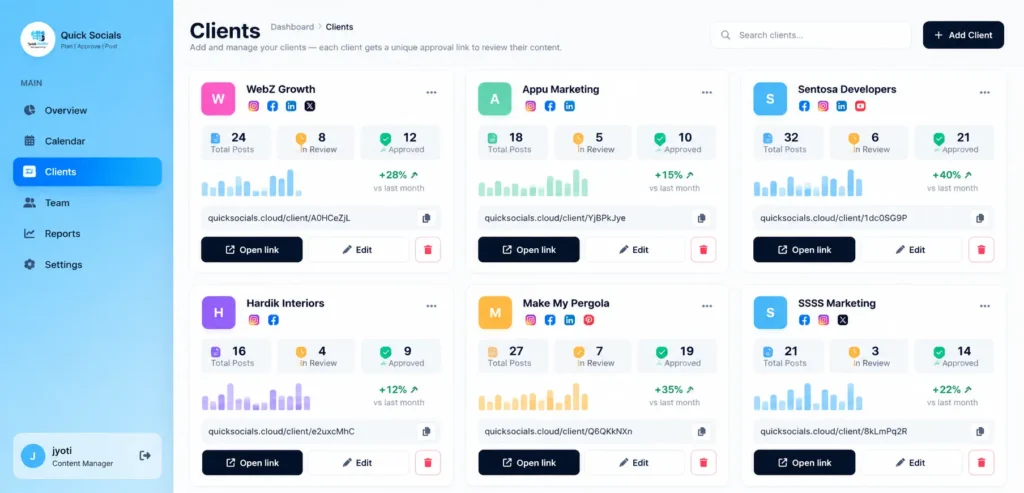
QuickSocials is a Content Approval & Reporting Tool designed to help agencies organize client content, reviews, and reporting through a centralized workflow.
Its features include private client approval links that allow clients to review, comment on, and approve content without creating a separate login. Teams can organize client content, use a visual content calendar, and manage access through client-specific permissions.
Agencies can also use QuickSocials for Instagram reporting based on a public profile handle, with downloadable PDF reports covering available metrics.
These features are useful when the main challenge is keeping content reviews and client communication organized rather than managing everything through separate conversations.
Explore the QuickSocials Content Approval & Reporting Tool to learn more about its workflow.
Once approvals are organized, agencies can improve the wider planning process using appropriate social media scheduling tools for agencies. Before relying on any tool for publishing, verify its supported platforms and scheduling capabilities.
How Can You Choose the Right Approval Tool for Your Agency?
Start by identifying the biggest bottleneck in your current process. If clients frequently miss messages, prioritize easy review links and clear approval statuses.
Next, test the workflow with a small number of posts. Ask a client to review a draft, leave feedback, and approve the revised version.
Finally, review pricing, access permissions, and the features included in your selected plan. A tool should fit your existing workflow and solve a real operational problem.
For a more detailed look at the review process, explore our guide to the social media approval workflow for agencies.
You can also learn how to get client approval on social media content without WhatsApp.
Ready to Make Client Approvals Easier?
Why waste hours chasing approvals when you could keep everything organized in one place?
The right social media approval software helps teams simplify reviews, manage feedback, and avoid unnecessary delays.
Want a smoother approval process? Explore QuickSocials to organize client content, simplify approvals, and keep your agency workflow on track.
Frequently Asked Questions
1. What is the best social media approval software for agencies?
The best option depends on your agency’s requirements, including client access, feedback management, approval tracking, team permissions, pricing, and whether you also need publishing features.
2. Can clients approve social media posts without logging in?
Yes. Some tools provide private approval links that let clients review, comment on, and approve content without creating an account. Check that this feature is included in your chosen product.
3. What is the difference between approval software and social media scheduling software?
Approval software focuses on reviewing content and collecting feedback before publication. Scheduling software focuses on assigning publishing dates and times. Some products offer both, but the capabilities should be verified separately.
4. How can agencies reduce delays in client content approvals?
Agencies can reduce delays by setting clear deadlines, sharing drafts through a consistent review process, keeping feedback connected to each post, and following up on pending approvals.
5. Is QuickSocials suitable for agencies managing multiple clients?
QuickSocials offers client-specific content organization, private approval links, a visual content calendar, team access controls, and Instagram reporting. Agencies should review the available plan and workflow to confirm that it meets their specific needs.