
How to Manage Social Media for Multiple Clients Without Losing Track
 jyoti//7 min read
Social Media Management for Multiple Clients is easiest when you follow a consistent, repeatable system for every account. Start by organizing each client separately, then manage content planning, creation, internal reviews, client approvals, scheduling, and reporting through one central workflow. This keeps deadlines visible and prevents content from getting mixed up.
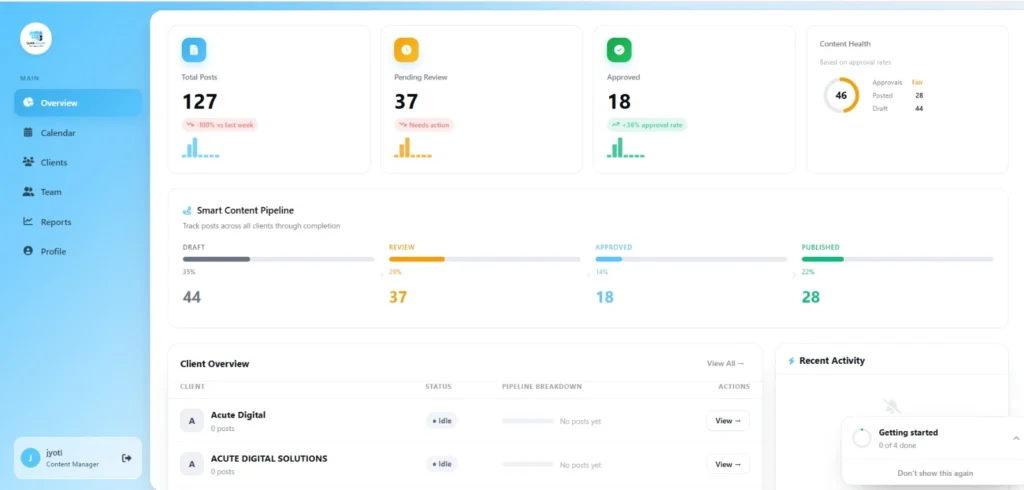
What happens when you have multiple clients, each with different content plans, deadlines, and approval requirements?
If everything is managed manually, it becomes easy to miss tasks, delay posts, or mix up client content.
How can agencies keep Social Media Management for Multiple Clients organized without creating more work?
In this blog, we’ll look at practical ways to manage multiple clients with a structured and repeatable system.
You’ll also learn how to keep client work organized while saving time and reducing daily follow-ups.
Why Is Social Media Management for Multiple Clients So Difficult?
Managing several clients becomes difficult when every account is handled differently. One client may need daily posts, another may have a campaign coming up, while a third is still waiting to approve next week’s content.
The real problem is not the number of clients. It is having too many details spread across chats, spreadsheets, calendars, folders, and personal notes.
A better approach is to standardize the process, not the client strategy. Each client should keep their own brand voice, content goals, and publishing plan, but your agency should follow the same basic workflow for all of them.
That gives your team one clear place to check what is planned, what is being worked on, what needs approval, and what is ready to publish.
How Do You Create a Repeatable Workflow for Every Client?
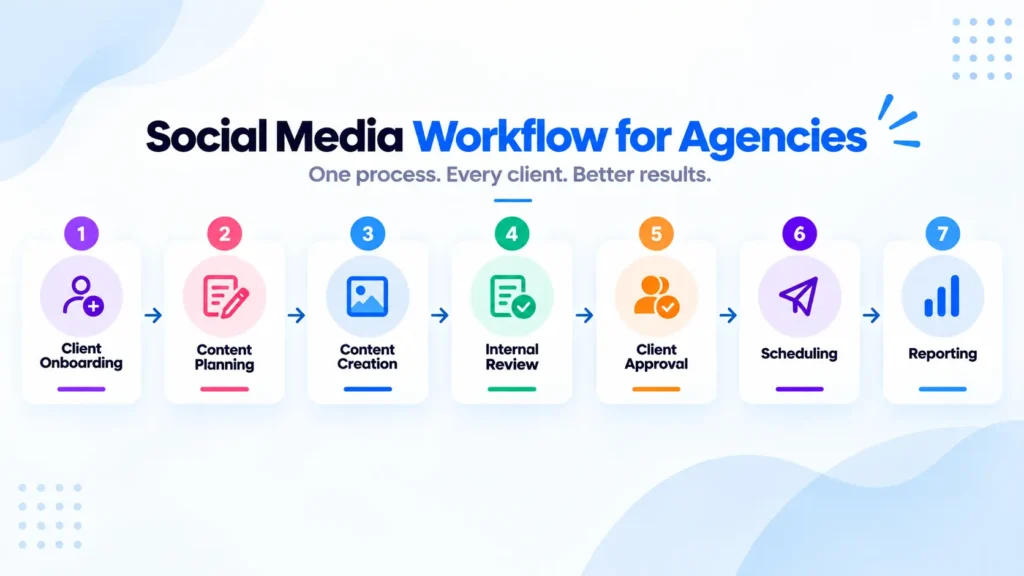
Create one standard Social Media Workflow for Agencies and apply it to every account.
A practical workflow looks like this:
Client onboarding → Content planning → Content creation → Internal review → Client approval → Scheduling → Reporting
The stages stay consistent. What changes is the client’s strategy, brand voice, content topics, platforms, and publishing schedule.
How Should You Organize Multiple Social Media Clients?
We can organize each client separately with their own content calendar, social accounts, brand assets, tasks, permissions, and approval status.
The best Multi-Client Social Media Management system gives every client a clearly separated space while keeping the agency’s overall workflow consistent.
For each client, keep the core information together:
- Social media accounts and access details
- Brand guidelines and creative assets
- Content calendar and upcoming posts
- Content status and approval stage
- Team responsibilities and deadlines
- Reporting information
Your Social Media Client Management process should make client ownership obvious at every stage.
How Do You Plan Content for Multiple Social Media Clients?

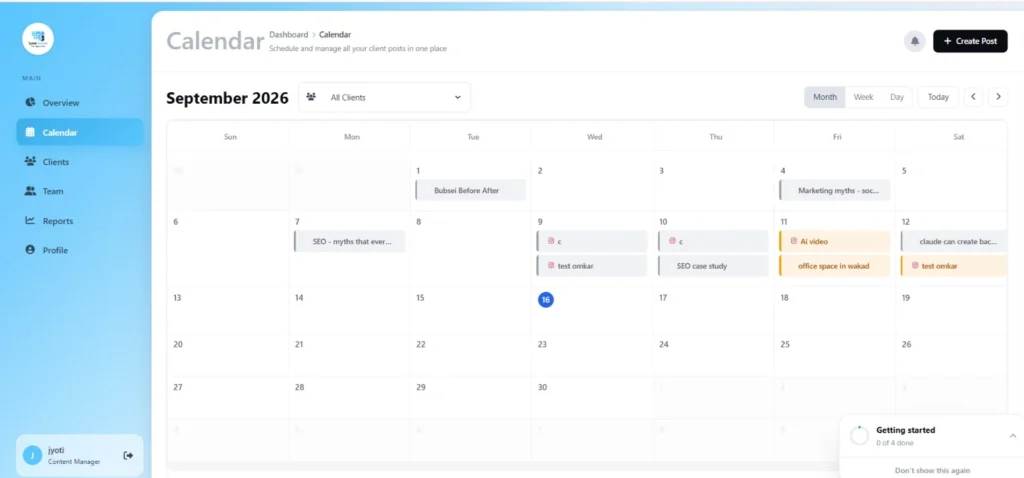
We can plan by using a Social Media Content Calendar for each client so upcoming posts, campaigns, deadlines, and content status are easy to track.
A Client Content Calendar should make these details visible at a glance:
- What is being posted?
- Who is responsible for it?
- When does it need to be ready?
- Is it drafted, reviewed, approved, or scheduled?
If approvals are where your calendar usually gets stuck, you can also follow this social media approval workflow for agencies to keep that stage organized.
How Do You Keep Client Content and Accounts From Getting Mixed Up?
We keep each client’s accounts, content, brand assets, and permissions clearly separated. This prevents a post, caption, creative, or login from being attached to the wrong client.
For example, one client may prefer a formal brand voice and another may use a more casual style. Their visual guidelines, hashtags, campaigns, and publishing requirements should never depend on someone remembering the difference.
A clear Social Media Management for Agencies system should show your team exactly which client they are working on and what access they have.
For teams managing Facebook and Instagram accounts, Meta Business Suite also provides tools for managing business content and accounts from one place.
How Do You Handle Client Approvals Without Delaying Content?

Build the Client Approval Workflow into your regular content process instead of treating approvals as a last-minute task.
A simple Draft → Internal Review → Client Review → Approved → Scheduled flow is enough to prevent approved content from getting lost in conversations.
If your agency still depends on WhatsApp messages to collect feedback, this guide on how to get client approval without WhatsApp can help you create a more organized approval process.
How Can Agencies Schedule Content for Multiple Clients?
Use a consistent Content Scheduling process where approved content moves from the content calendar to publishing without extra manual tracking.
Before scheduling any post, quickly check:
- Correct client: Make sure the post belongs to the right account.
- Final content: Confirm the caption, creative, hashtags, and links are approved.
- Correct platform: Check that the format and content are suitable for the selected platform.
- Publishing date: Match the scheduled time with the client’s content plan.
- Approval status: Schedule only the final, client-approved version.
A consistent publishing process also makes it easier to plan posts ahead and maintain a reliable publishing schedule across different accounts, as outlined in Hootsuite’s social media scheduling guide.
How Do You Manage Social Media Reporting for Multiple Clients?
Create one repeatable Social Media Reporting process, but customize the report around each client’s goals. You should not have to build every report from scratch at the end of the month.
For each client, decide which metrics actually matter before reporting begins. Depending on the strategy, these might include:
- Reach and impressions
- Engagement and engagement rate
- Follower growth
- Top-performing content
- Website or campaign results
If creating these reports manually is taking too much time, a Social Media Reporting Tool can bring reporting into the same workflow as content planning and client management.
When Should You Use a Social Media Management Tool for Multiple Clients?
A Social Media Management Tool for Multiple Clients becomes useful when your team is spending more time tracking work than actually doing it.
A good tool should bring the parts of your workflow that need coordination into one place. For example:
- Client content and calendars
- Approvals
- Team members
- Scheduling and reporting
If you’re comparing platforms before choosing one, this SocialPilot vs QuickSocials comparison breaks down the key differences for agencies.
How QuickSocials Helps Agencies Manage Multiple Clients
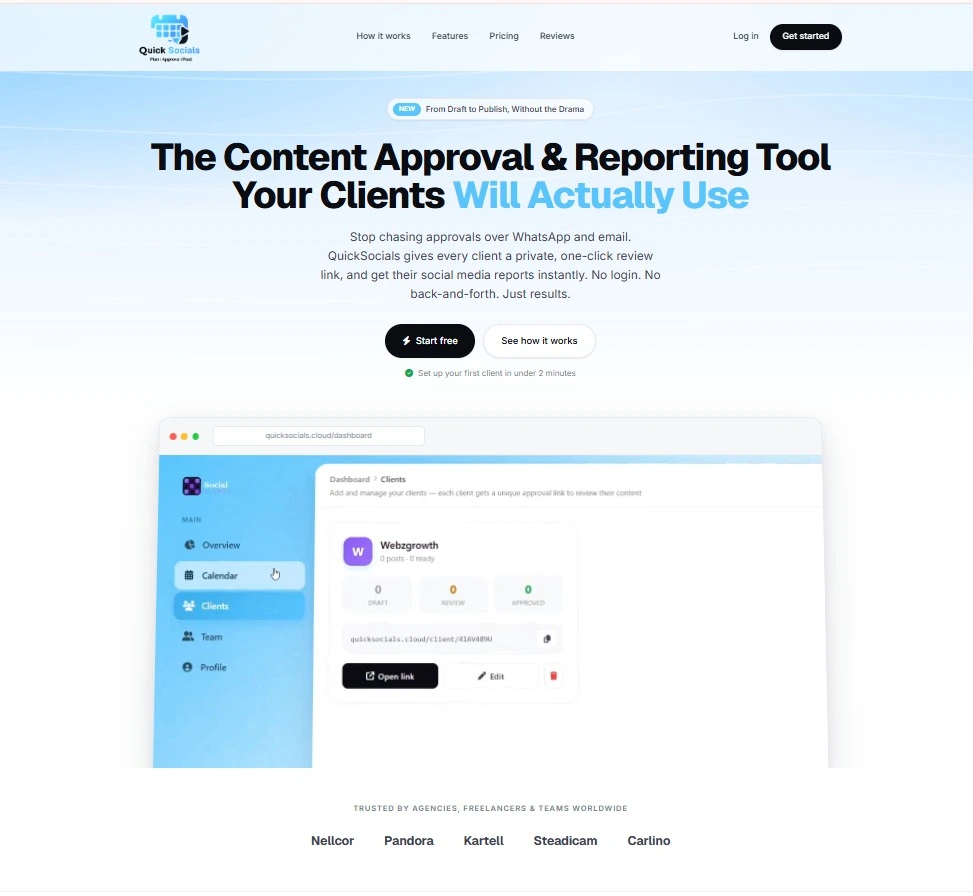
QuickSocials helps agencies manage multiple clients by bringing content planning, client approvals, team collaboration, and Instagram reporting into one workflow.
With QuickSocials, agencies can:
- Manage each client through a separate content view
- Plan and organize posts with a visual content calendar
- Send private client approval links without requiring a login
- Control team access and client-level permissions
- Receive real-time approval notifications
- Generate Instagram reports for individual clients
This keeps Social Media Client Management, approvals, content planning, and reporting connected instead of making your team switch between separate systems for every stage.
Still Managing Client Work Across Different Tools?
If every new client means another spreadsheet, another approval chat, and another reporting routine, it’s time to simplify the workflow.
QuickSocials brings content planning, client approvals, team collaboration, and Instagram reporting into one place – so your agency can spend less time tracking work and more time getting it done.
Ready to simplify your client workflow?
👉Start with QuickSocials today and manage your client work from one place.
FAQs
How do you manage social media for multiple clients?
Use a repeatable workflow for onboarding, content planning, creation, review, approval, scheduling, and reporting while keeping each client’s accounts and information separate.
What is the best way to organize social media for multiple clients?
Create a separate workspace or client system for each account, with its own content calendar, brand assets, permissions, tasks, and approval status.
How do you manage content calendars for multiple clients?
Create a dedicated Social Media Content Calendar for each client and use consistent stages such as draft, review, approval, and scheduled across all calendars.
How do you get client approval for social media content?
Send completed content through a defined approval process where the client can review and approve or request changes before publishing.