
How to Choose the Right Social Media Scheduling Tool for Your Agency in 2026
 jyoti//7 min read
The right Social Media Scheduling Tool for an agency should do more than publish posts at a set time. It should help your team manage multiple clients, plan content, handle approvals, collaborate with team members, and review performance without creating more work.

Managing social media for one brand can be relatively simple . Managing content for several clients is different.
Every client has a different posting schedule, brand voice, approval process, platform mix, and deadline.
If your team is still switching between spreadsheets, chats, separate logins, and different calendars, scheduling can quickly become another task to manage rather than something that saves time.
So, what should an agency actually check before choosing a scheduling platform?
In this guide, we’ll cover the key features agencies should look for in a scheduling tool, including multi-client management, content planning, client approvals, pricing, and reporting.
What Should You Look for When Choosing a Scheduling Tool?
A good tool should fit the way your agency already works instead of forcing your team into a complicated process.
Before choosing one, look at:
- Multi-client management: Can you keep different clients and their content separate?
- Content planning: Is there a clear calendar for upcoming posts?
- Approvals: Can clients review content before it is scheduled?
- Team collaboration: Can different team members work on the same client account?
- Platform support: Does it support the social networks your clients use?
- Reporting: Can you create useful reports without collecting data manually?
- Pricing: Does the cost still make sense as your client list grows?
Agency-focused guides also highlight multi-client management, approvals, platform coverage, reporting and pricing when evaluating scheduling platforms.
How Many Social Media Accounts Can Your Agency Manage?
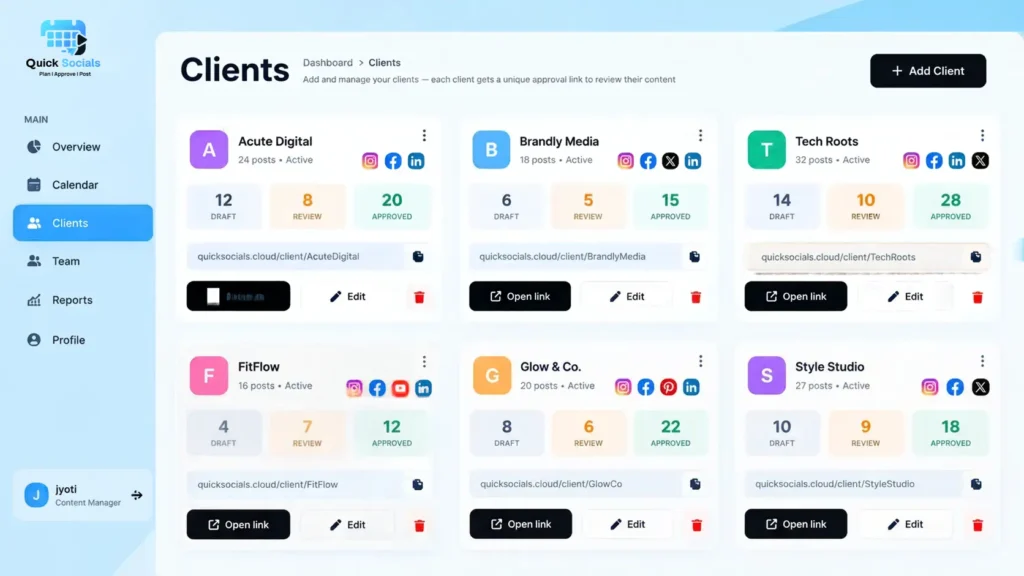
The number of social media accounts an agency can manage depends on the tool’s account limits, team size, and client requirements. Choose a platform that supports your current workload and can accommodate more clients as your agency grows.
A Social Media Scheduling Tool for Multiple Accounts should help your team:
- Keep each client’s content separate
- Track scheduled posts
- Monitor pending and approved content
- Manage team access
- Avoid posting content to the wrong account
QuickSocials helps agencies organize client content through separate client views and team permissions, making multi-client management easier.
Does the Tool Make Content Planning Easier?
Yes. A good social media tool should make content planning easier by giving your team a shared visual calendar where they can organize, review, and reschedule posts before they are published.
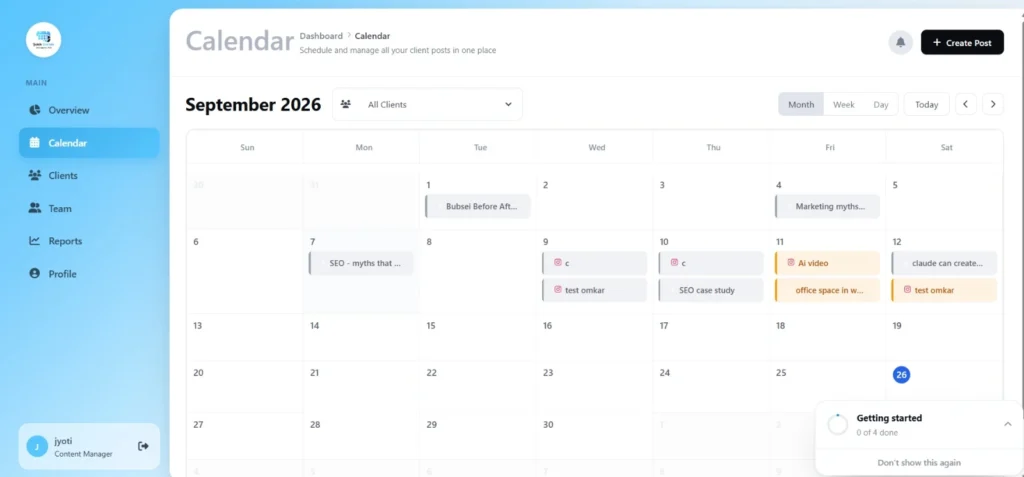
A visual calendar can help your team see what is coming up, identify empty dates, move posts when plans change, and check whether content is balanced across the month.
A useful Social Media Scheduling Tool for Agencies should let your team work from a shared calendar rather than maintaining separate spreadsheets for every client.
For agencies that need a defined approval process, our social media approval workflow guide covers the stages from content creation through final approval.
Look for features such as:
- Weekly and monthly calendar views
- Client-based filtering
- Post status
- Scheduled and pending content
- Easy rescheduling
- Platform information
- Content notes
A structured calendar also connects planning with publishing, making it easier for your team to see what is ready, what still needs attention, and what is already scheduled.
Can Clients Review and Approve Content Before It Goes Live?
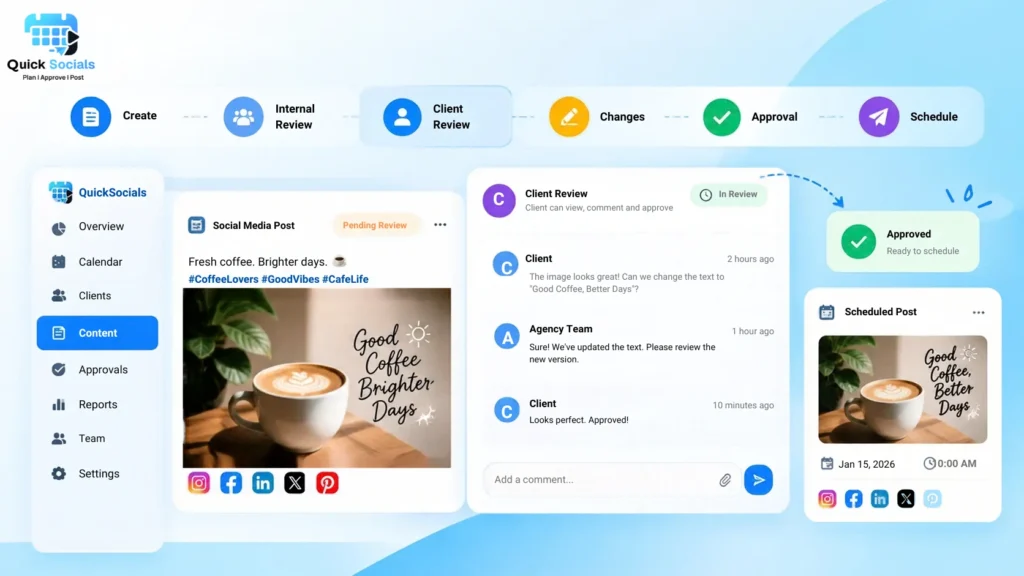
Yes. A good social media scheduling workflow should let agencies send content to clients for review and approval before posts are scheduled or published.
Keeping content, feedback, revisions, and approval status connected helps prevent delays and avoids confusion over which version is ready to publish.
A better content scheduling workflow keeps the post, feedback, and approval status connected.
A simple process can look like:
Create → Internal Review → Client Review → Changes → Approval → Schedule
If client approvals are becoming difficult to manage through chats, how to get client approval without WhatsApp explains how this process can be organized more clearly.
How Should Agencies Compare Pricing?
Agencies should compare pricing based on their number of clients, social accounts, team members, and required features, rather than looking only at the starting monthly price.
A Social Media Scheduling Tool for Small Business may work well for a small team, while an agency with multiple clients may need higher limits for users, accounts, approvals, or reports.
Before choosing a plan, check:
- How many clients are included?
- How many social accounts can you connect?
- How many team members are included?
- Are client approvals included?
- Are reports included?
- Does the price increase with additional users or accounts?
- Which features are restricted to higher plans?
Pricing should be checked against your current client count, not just the starting monthly price.
You can also compare how different platforms structure their plans in our SocialPilot vs QuickSocials comparison.
What Reporting Features Should You Check?
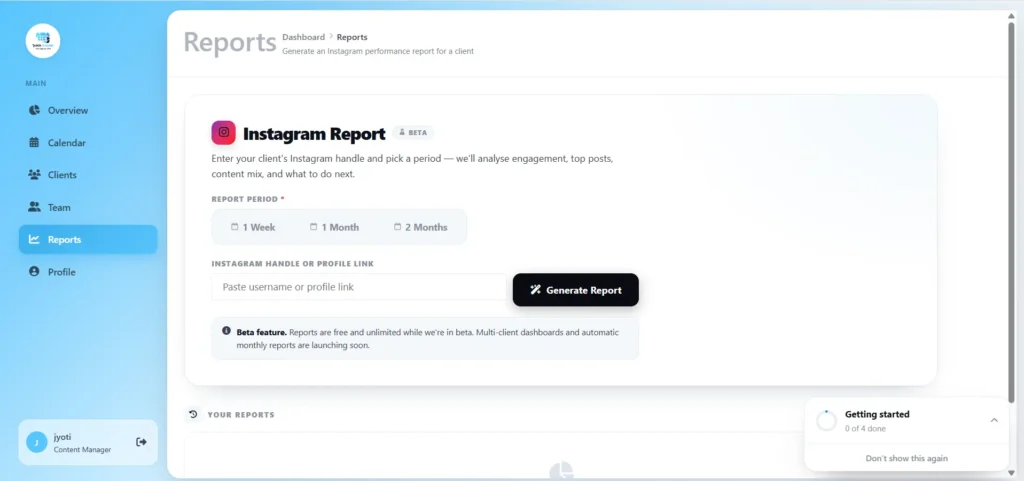
Agencies should look for reporting features that help them track performance, review results for each client, and create client-ready reports without manual work.
A useful reporting setup should let your team:
- Review account performance
- Track important metrics
- Select reporting periods
- Create client-ready reports
- Compare results over time
A small business may only need basic performance data, while agencies managing multiple clients may need separate reports for each account.
How Can You Tell Which Tool Fits Your Agency?
Instead of choosing based on the longest feature list, test the tool against your actual workflow.
Ask these questions before making a decision:
- Can I manage all current client accounts?
- Can I keep each client’s content separate?
- Does the calendar make planning easier?
- Can clients review and approve content?
- Can my team collaborate without sharing unnecessary access?
- Does it support the platforms my clients use?
- Can I create reports without rebuilding them manually?
- Will the pricing still work if I add more clients?
The Best Tool for Scheduling Social Media Posts is therefore not necessarily the one with the most features. It is the one that fits your agency’s publishing process, client requirements and team size.
How Does QuickSocials Fit an Agency Workflow?
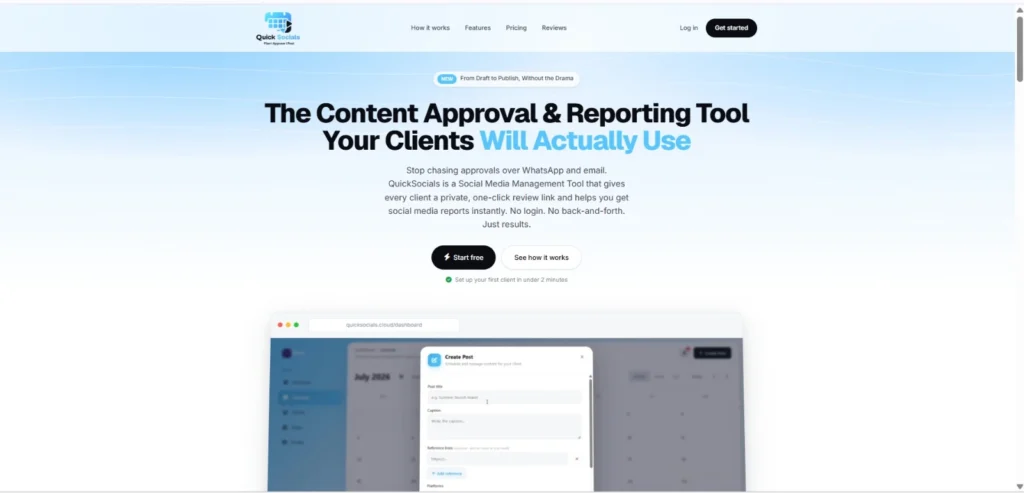
QuickSocials is a Content Approval & Reporting Tool for agencies that want to manage content planning, client approvals, team collaboration, and Instagram reporting in one workflow.
Instead of treating scheduling as an isolated task, the platform connects several stages of client work:
- Visual content calendar for planning and organizing posts
- Private client approval links so clients can review content without creating an account
- Per-client team permissions for organized access
- Real-time approval notifications
- Instagram reporting with selectable reporting periods and PDF reports
The platform’s current workflow is designed around moving content from planning and review through approval and reporting, rather than only putting posts into a publishing queue.
This approach can also help agencies that are already managing multiple clients and want fewer separate spreadsheets, approval conversations and reporting tasks.
Still Spending Too Much Time Managing Client Content?
Choosing a scheduling tool should make your agency’s daily work easier, not add another complicated process. Look for a platform that fits your client workflows, approval needs, and budget.
Want to simplify your workflow? Try QuickSocials, a Content Approval & Reporting Tool for agencies and freelancers.
You can get started with the first two months free and explore how it fits your team’s needs.
Start using QuickSocials today.
FAQs
What should agencies look for in social media scheduling tools?
Agencies should check multi-client management, content calendars, approval workflows, team permissions, platform support, reporting and pricing before choosing a tool.
Can one tool manage multiple client accounts?
Yes. Many agency-focused platforms support multiple clients and social accounts, but the way they separate client content, permissions, approvals and reporting can differ.
Is a small-business scheduling tool different from an agency tool?
The basic scheduling needs may be similar, but agencies usually need more client separation, team collaboration, approvals and reporting as their account volume grows.
What is the Best Tool for Scheduling Social Media Posts?
The right choice depends on the agency’s workflow, number of clients, platforms, approval requirements, team size and budget rather than one feature alone.
How do client approvals fit into social media scheduling?
A structured workflow can move content from creation to internal review, client feedback, approval and finally scheduling. This reduces the need to track approval decisions across separate conversations.