
How to Create Social Media Reports for Clients Without Spreadsheets
 jyoti//7 min read
You can create social media reports for clients without spreadsheets by using a Social Media Reporting Tool that organizes performance data into clear, client-ready reports. Include key metrics, performance highlights, what the results mean, and recommendations for the next reporting period.
Still spending hours collecting screenshots, checking analytics, and putting together client reports every month?
If you manage social media for multiple businesses, reporting can quickly become one of the most time-consuming parts of the job.
In this guide, we’ll explain how to create clearer social media reports without relying on spreadsheets, which metrics to include, and how the right reporting workflow can help agencies save time. We’ll also look at how QuickSocials can simplify Instagram reporting for clients.
What Should a Social Media Report Include?
A social media report should include the reporting period, key performance metrics, content results, and recommended next steps. The exact metrics depend on the client’s goals and the social platforms being tracked.
You do not need to include every available metric. Start with the information the client actually needs.
A practical report can include:
- Reporting period: The dates covered by the report.
- Account performance: Relevant figures available from the social platform.
- Content results: Which posts attracted attention or encouraged interaction.
- Changes over time: Whether the selected metrics increased, decreased or stayed similar.
- Next steps: What the agency recommends reviewing or trying next.
For example, a local business may care about enquiries and visibility, while a creator may pay more attention to audience growth and content engagement. The report should reflect that difference.
Why Is Manual Social Media Reporting Difficult for Agencies?
Manual reporting becomes difficult when the team has to collect information from different accounts and rebuild the same document every reporting period.
An agency might use spreadsheets to track metrics, screenshots to show individual posts, and presentation software to prepare the final report. Each step creates another place where information needs to be checked.
Common problems include:
- Copying figures into the wrong client’s report.
- Forgetting to use the same reporting dates.
- Spending too much time formatting documents.
- Sending reports without explaining the results.
- Repeating the same work for every client.
If your agency also manages content for several businesses, this guide on managing social media for multiple clients covers how to keep client work organized.
How Can You Create a Social Media Report for a Client Step by Step?
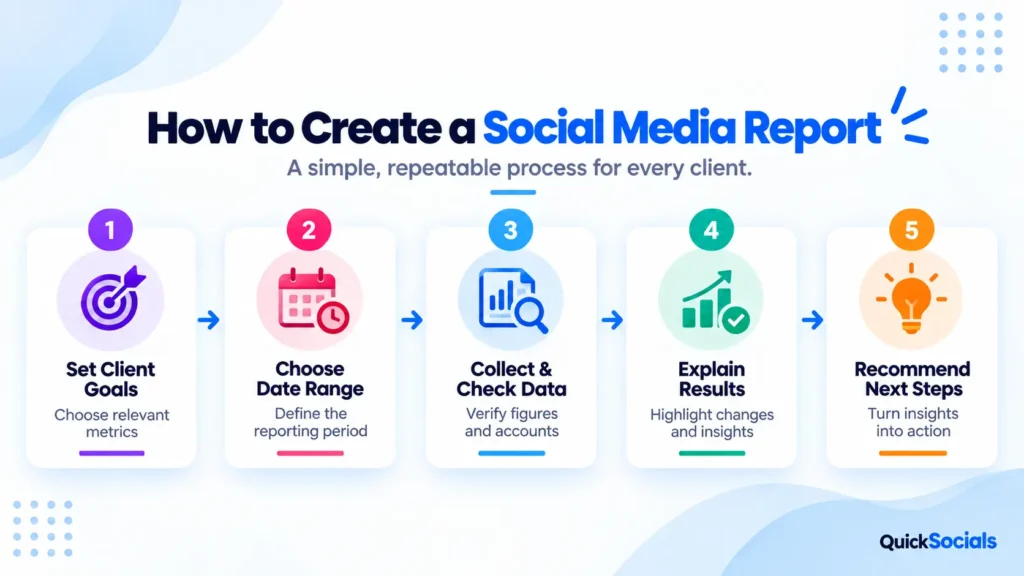
You can build a useful social media report by following a consistent process instead of starting from a blank document every month.
1. Decide What the Client Needs to Know
Start with the client’s goals. Is the report meant to review content engagement, audience growth, account activity, or another result?
Choose metrics that help answer those questions rather than including every available figure.
2. Select a Clear Reporting Period
Use a defined date range and state it clearly in the report. Comparing different periods without explaining the dates can lead to misleading conclusions.
3. Collect and Check the Data
Use the relevant platform analytics or a reporting tool to gather the available information. Check the account name, reporting dates, and figures before sharing the report.
4. Explain the Results in Plain English
Do not simply state that a metric increased or decreased. Explain what changed and whether the available data suggests a connection with the content published during that period.
If you cannot identify the reason from the available data, say so rather than guessing.
5. Recommend the Next Action
Finish with a practical recommendation. It might involve reviewing a particular content format, testing a new topic, or investigating a drop in engagement.
A useful social media report should guide the next discussion and help the client understand what to do next, not just record the previous month’s activity.
Which Social Media Metrics Should You Track?
The right metrics depend on the client’s goals and the data available from the platform.
For an Instagram account, your report might cover relevant measures such as:
- Reach
- Impressions or views
- Engagement
- Follower changes
- Content performance
Do not treat every increase as proof of business growth. More engagement does not automatically mean more enquiries or sales.
For an Instagram account, your report might cover relevant measures such as reach, impressions or views, engagement, follower changes, and content performance.
You can also explore Instagram’s best practices for creators to better understand content performance and audience engagement.
How Do You Choose a Social Media Reporting Tool?

Choose a tool based on the reports you need to create, the social platforms you manage, and how much manual work you want to reduce.
Before choosing a Social Media Reporting Tool, check these points:
- Platform support
- Reporting periods
- Export options
- Client organization
- Pricing
- Extra tools
If content scheduling is also a challenge for your team, read our guide on choosing the right social media scheduling tool for your agency.
How Does QuickSocials Help With Instagram Reporting?
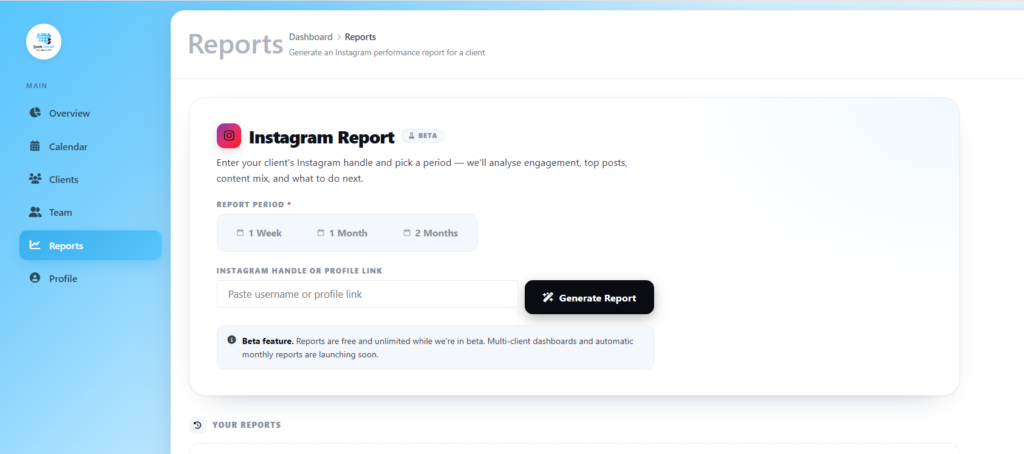
QuickSocials is a Content Approval & Reporting Tool for social media agencies and freelancers. Its Instagram reporting feature lets users enter a public Instagram handle, choose a reporting period of 7, 30 or 60 days, and generate a downloadable PDF report.
This gives agencies a straightforward way to prepare an Instagram report without treating every report as a new document-building task.
QuickSocials also brings other parts of client work into the same workflow, including:
- A visual content calendar for planning posts.
- Private client approval links that do not require clients to create an account.
- Team permissions for organizing access to client work.
- Real-time approval notifications.
- Instagram reports with selectable date ranges and PDF downloads.
The benefit is having content planning and client approval alongside reporting, rather than treating every stage as an entirely separate process.
You can also read our guide on how to get client approval without WhatsApp if client reviews are another source of delays.
How Can You Make Your Client Reports More Useful?
Make client reports easy to scan, connect performance metrics to client goals, and finish with clear next steps.
A few simple habits help:
- Put the most relevant findings near the beginning.
- Use headings that explain what each section covers.
- Keep charts and tables readable.
- Explain unfamiliar metrics in plain language.
- Separate confirmed results from assumptions.
- Finish with actions the agency and client can discuss.
Before sending the report, check whether the client can understand what happened, why it matters, and what should happen next. If not, simplify the report.
Ready to Make Client Reporting Easier?
If your agency is still collecting Instagram figures manually and rebuilding reports from scratch, review your current process before adding another spreadsheet.
QuickSocials brings Instagram reporting together with content planning, client approvals and team collaboration.
Try QuickSocials and explore how its content calendar, client approvals, and Instagram reporting features fit your agency’s workflow.
👉 Start Your Free 2-Month Trial with QuickSocials and find a simpler way to manage content for your clients.
FAQ
1. What should a social media report include?
A social media report should include key performance metrics, reach, engagement, audience growth, top-performing posts, progress toward goals, and recommendations for the next reporting period.
2. How often should you send social media reports to clients?
Most agencies can send monthly reports for ongoing social media management. Weekly reports may be more useful for active campaigns, while quarterly reports help review longer-term performance and strategy.
3. How do you create a social media report without spreadsheets?
Use a social media reporting tool to collect available performance data, organize key metrics, and prepare client-ready reports. Review the results, explain important changes, and outline the next steps instead of manually compiling every figure.
4. Which social media metrics should agencies track?
Agencies should track metrics that match each client’s goals, such as reach, engagement rate, follower growth, link clicks, conversions, and top-performing content. The most relevant metrics depend on whether the client wants awareness, engagement, website traffic, or leads.
5. What is the best social media reporting tool for agencies?
The best tool depends on the agency’s reporting needs, supported platforms, client volume, and budget. QuickSocials is a Content Approval & Reporting Tool that offers Instagram reporting for selected 7-, 30-, and 60-day periods, with downloadable PDF reports.