
Social Media Content Calendar for Multiple Clients: A Practical Agency Workflow
 jyoti//6 min read
A social media content calendar for multiple clients helps agencies organize content, plan posts in advance, track deadlines, and manage client approvals through one structured workflow. This practical approach keeps campaigns organized, reduces confusion, and makes multi-client content management more efficient.
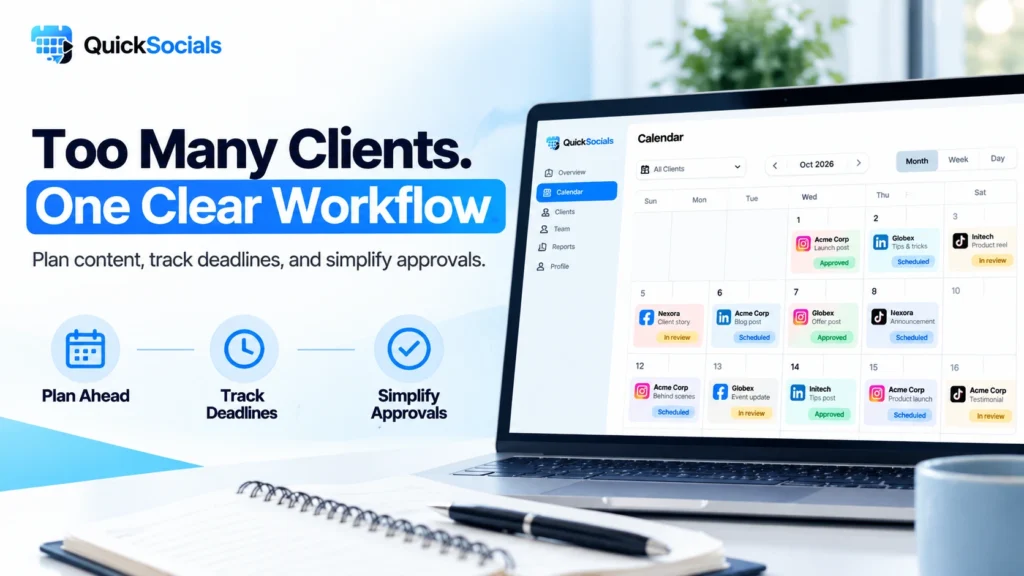
Are you spending more time chasing client approvals and fixing content schedules than actually growing your clients’ social media accounts?”
Managing multiple clients means handling different brand guidelines, content calendars, campaign deadlines, and feedback requests simultaneously.
Without a structured workflow, missed deadlines, scattered feedback, and overlapping tasks can quickly become everyday problems.
In this blog, we’ll explore how agencies can organize multiple client content calendars, choose the right planning tools, streamline client approvals, and build a practical workflow that saves time and keeps content projects on track.
What Is a Social Media Content Calendar for Multiple Clients?
A social media content calendar for multiple clients is a planning system that organizes content ideas, platforms, deadlines, review status, and publishing plans for different clients in one structured workflow.
A useful calendar typically tracks:
- Client or brand name
- Social media platform
- Content topic and format
- Planned publication date
- Draft and review status
- Client feedback and approval status
For example, an agency managing a restaurant, a clothing brand, and a real estate company can maintain separate client views while keeping an overall picture of upcoming work.
This approach makes social media planning for multiple clients more organized and easier to review.
Why Do Agencies Need a Separate Content Calendar for Each Client?
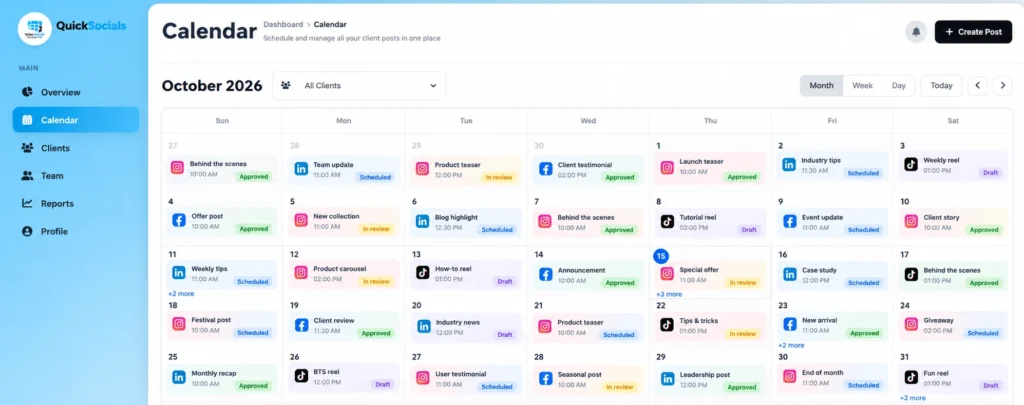
Agencies need client-specific calendar views because every business has different goals, audiences, brand guidelines, and campaign deadlines.
A restaurant might need promotional Reels and seasonal offers, while a real estate client may require property updates and project campaigns.
A separate view for each client helps agencies:
- Keep brand-specific content organized.
- Identify upcoming deadlines quickly.
- Review each client’s workload.
- Reduce confusion between campaigns.
- Track content that needs feedback or approval.
The goal is not to create more administrative work. It is to make the entire workflow easier to manage as the agency takes on more clients.
How Can You Manage Multiple Client Content Calendars Efficiently?
To understand how to manage multiple client content calendars, start with a repeatable process that every account manager and content creator can follow.
1. Create a dedicated workspace for each client
Record the client’s goals, target audience, brand guidelines, preferred platforms, and campaign priorities. Keep these details accessible to the relevant team members.
2. Plan content in weekly or monthly batches
Build a content plan in advance instead of deciding what to publish every day. Add topics, formats, deadlines, and campaign dates to the calendar.
3. Assign clear responsibilities
Specify who creates the content, who reviews it internally, and who obtains client approval. Clear ownership prevents tasks from getting lost between team members.
4. Track every post’s status
Use consistent labels such as Draft, In Review, Changes Requested, and Approved. Update the status whenever the content moves to the next stage.
5. Establish a fixed review schedule
Agree on when clients should review content and how they should share feedback. A predictable review window helps teams plan their workload and identify delays earlier.
6. Review the calendar regularly
At the beginning of each week, check upcoming deadlines, pending approvals, and campaign priorities. This makes it easier to resolve bottlenecks before they affect delivery.
These steps create a practical multi-client content calendar that supports consistent planning without unnecessary complexity.
For additional planning guidance, explore the American Marketing Association’s social media marketing calendar resource to help structure your content planning process.
For more practical tips, read our guide on managing social media for multiple clients without losing track to learn how agencies can keep client tasks and campaigns organized.
Which Content Calendar Tools Help Agencies Plan Client Content?
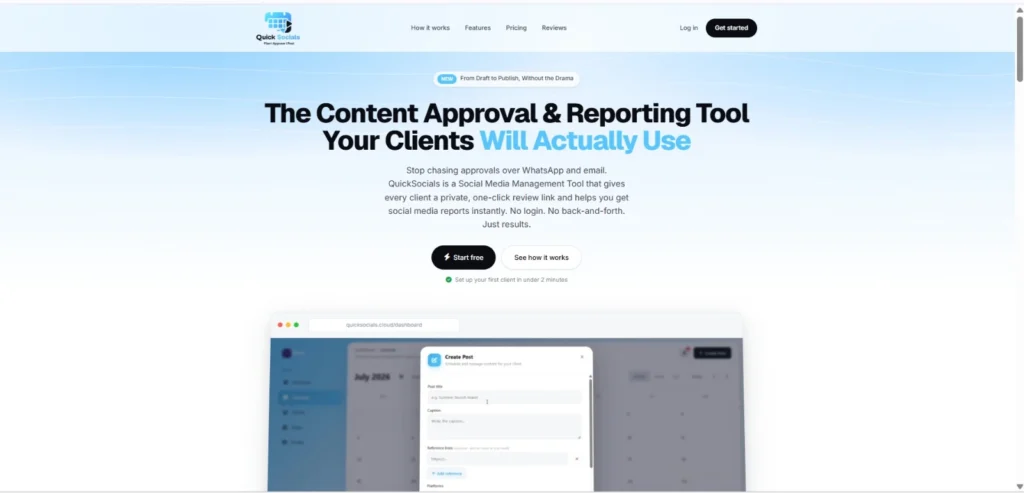
The right content calendar tools for agencies should make content planning visible, keep client work organized, and support collaboration without adding unnecessary steps.
When comparing tools, look for:
- Visual calendar views
- Client-specific content organization
- Clear review and approval statuses
- Team access controls
- Simple ways to share content for feedback
- Reporting capabilities relevant to client reviews
QuickSocials is a Content Approval & Reporting Tool that also describes itself as a Social Media Management Tool. Its visual content calendar supports per-client views and drag-to-reschedule functionality, helping teams organize planned content.
Agencies can explore QuickSocials to see how its content calendar, client approval links, team permissions, and Instagram reporting fit into their workflow.
If your agency is comparing social media scheduling tools for agencies, review how different tools fit your team’s content planning and client management workflow before choosing one.
How Can Agencies Include Client Approvals in a Content Calendar?
A social media content approval workflow connects content planning with a clear review process. Every post should move from creation to internal review, client feedback, and approval before the team treats it as ready.
A simple workflow looks like this:
Content draft → Internal review → Client review → Revisions if needed → Approval → Final scheduling or publishing
QuickSocials provides secure, private approval links through which clients can review, comment on, and approve content without creating an account or logging in. Its team access controls also support client-specific permissions and data isolation.
Learn how to get client approval on social media content without WhatsApp by creating a clear review process that makes feedback easier to manage.
What Mistakes Should Agencies Avoid When Managing Content Calendars?

Agencies should avoid mixing client content, planning too late, leaving responsibilities unclear, and treating unapproved content as ready for publication.
Common mistakes include:
- Using one unstructured list: Client-specific views make it easier to separate campaigns.
- Ignoring approval deadlines: Set review windows and follow up on pending content.
- Failing to update statuses: Keep the calendar aligned with the actual progress of each post.
- Overlooking campaign priorities: Plan around launches, seasonal events, and client objectives.
- Choosing tools based only on features: Confirm that the tool supports the team’s real workflow.
Avoiding these mistakes helps agencies maintain better visibility and deliver a more consistent client experience.
Can a Better Content Calendar Make Agency Work Easier?
Yes. A structured social media content calendar for multiple clients helps agencies organize campaigns, manage deadlines, clarify responsibilities, and coordinate client approvals.
Start by separating client work, planning content in batches, assigning ownership, and tracking every post’s status. Then introduce tools that solve specific workflow problems instead of adding complexity.
QuickSocials can support this process through its visual content calendar, private client approval links, team access controls, and Instagram PDF reporting.
Ready to spend less time chasing approvals and more time improving campaigns? Explore QuickSocials and see whether its workflow fits your agency.
FAQ
1. How do you manage social media content for multiple clients?
Use client-specific calendars, plan content in advance, assign responsibilities, track post statuses, and establish clear approval deadlines. Review the calendar weekly to identify delays and upcoming priorities.
2. What should a social media content calendar include?
It should include the client name, content topic, platform, format, planned date, assigned owner, review status, and approval status. Add campaign deadlines and relevant notes when needed.
3. Which tools help agencies manage multiple content calendars?
Look for tools with visual calendar views, client-specific organization, collaboration features, and approval workflows. The best choice depends on the agency’s team size, client volume, and reporting needs.
4. How can agencies get clients to approve social media posts faster?
Set clear review deadlines, share content through a consistent approval process, and make feedback easy to provide. Tools such as QuickSocials offer private approval links that clients can use without logging in.
5. Can QuickSocials help agencies manage multiple clients?
Yes. QuickSocials supports per-client calendar views, private client approval links, team permissions, data isolation, and Instagram PDF reporting. Its available client and team limits depend on the selected pricing plan.