
Best Social Media Client Approval Tools for Marketing Agencies
 jyoti//7 min read
Social media client approval tools help agencies share content with clients, collect feedback, review changes, and track approvals in one organized workflow. They reduce scattered conversations, make responsibilities clearer, and help teams move content from draft to final approval without unnecessary follow-ups.
Look at your agency’s last content approval process. How many WhatsApp messages, email threads, screenshots, and reminders did it take before a client finally approved a post?
Now imagine handling that process for 5, 10, or 20 clients at the same time. Even a small delay can affect the entire content calendar.
In this guide, we will explore what to look for in approval tools, how agencies can build a practical review process, and how QuickSocials helps organize client approvals.
What Are Social Media Client Approval Tools?
Social media client approval tools are platforms that help agencies share draft content with clients, collect comments, request changes, and record approval status before content moves to the next stage.
A useful approval workflow generally includes:
- Sharing draft captions and creative content.
- Giving clients a clear way to review posts.
- Collecting feedback and requested changes.
- Tracking whether content is in review or approved.
- Keeping the agency team informed about the next action.
The purpose is simple: make content reviews easier for both the agency and its clients.
Why Do Agencies Need a Better Client Approval Process?
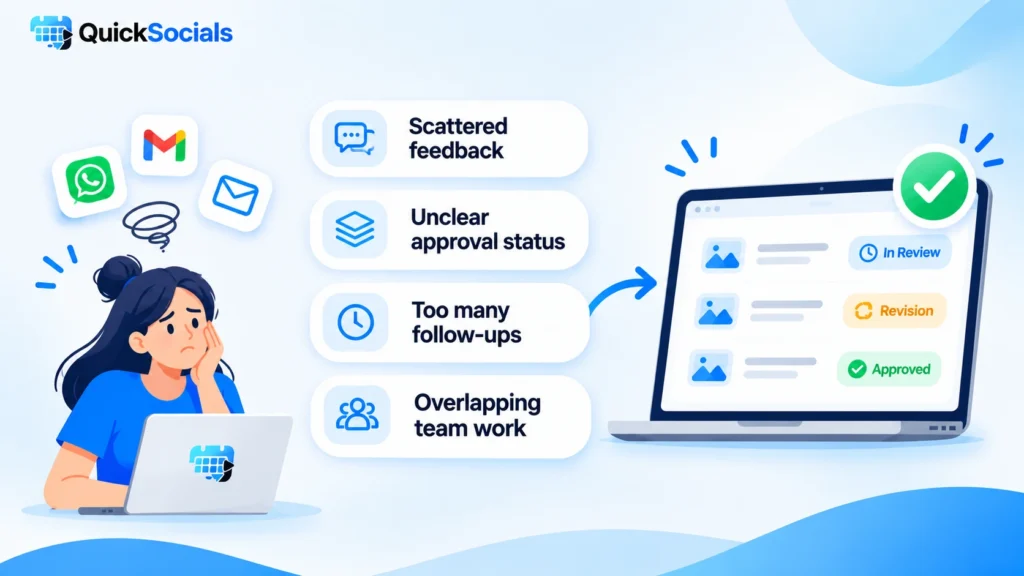
Managing client approvals manually may work when an agency has only one or two clients. However, as the client list grows, the same process becomes harder to maintain.
Here are some common challenges:
1. Feedback gets scattered: A client may send caption changes on WhatsApp, design feedback through email, and another correction in a separate conversation.
2. Approval status becomes unclear: Team members may not know whether a post is still a draft, waiting for feedback, or approved.
3. Follow-ups consume time: Account managers repeatedly ask clients to review content instead of focusing on campaign planning and coordination.
4. Team responsibilities overlap: Without clear access and responsibilities, different team members may work on the same client tasks without knowing who is handling them.
A structured social media approval workflow can help agencies make these stages easier to manage.
Which Features Should You Look for in Social Media Client Approval Tools?
The right tool should solve your agency’s actual approval problems rather than simply offer a long list of features.
Consider these important capabilities before choosing one.
1. Private Client Review Links
Clients should have a straightforward way to access the content waiting for their review. A private review link can make this process easier, especially when clients do not want to create another account or remember another password.
QuickSocials provides private client approval links that allow clients to review, comment on, and approve content without logging in.
2. Clear Approval Statuses
Your team should be able to identify which posts are drafts, waiting for review, approved, or scheduled.
Clear statuses help account managers understand what needs attention and reduce confusion during busy content cycles.
3. Feedback and Revision Support
An approval process should not end when a client requests a change. The team needs to understand the feedback, make the revision, and send the updated content for review.
Keeping feedback connected to the review process makes this easier to coordinate.
4. Separate Client Access and Team Permissions
Agencies often have multiple account managers, writers, and designers working on different brands.
Look for tools that allow team members to access only the clients assigned to them. QuickSocials supports per-client team permissions and client-level data separation.
5. A Visual Content Calendar
Approval is only one part of agency work. Teams also need to understand what content is planned and when it is expected to go out.
A visual social media content calendar helps agencies organize posts, view client-specific content, and drag posts to reschedule them.
How Can Agencies Simplify Client Approvals?
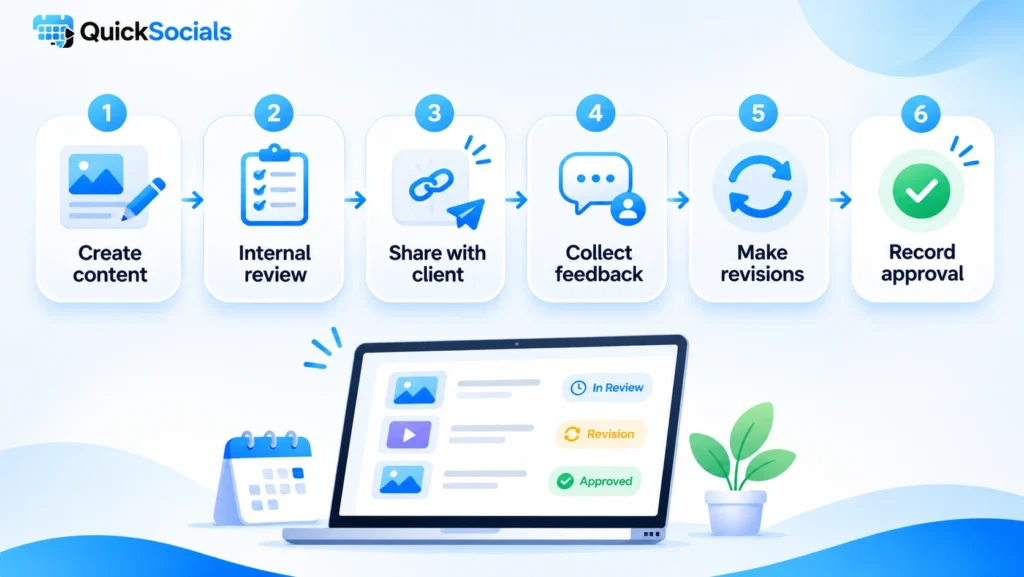
Agencies can simplify approvals by following a consistent process instead of relying on individual reminders and scattered conversations.
A practical workflow looks like this:
- Create content: Prepare captions, post ideas, and creative assets.
- Complete an internal review: Check spelling, brand guidelines, messaging, and design quality.
- Share content with the client: Send the client a private review link or another agreed review method.
- Collect feedback: Let the client comment on the content or request changes.
- Make revisions: Update the content according to the feedback.
- Record approval: Track the final status so the team knows what is ready for the next step.
For a practical explanation of team-based approvals, Buffer’s guide to collaboration and approval workflows is also worth exploring.
How Does QuickSocials Help Agencies Manage Client Approvals?
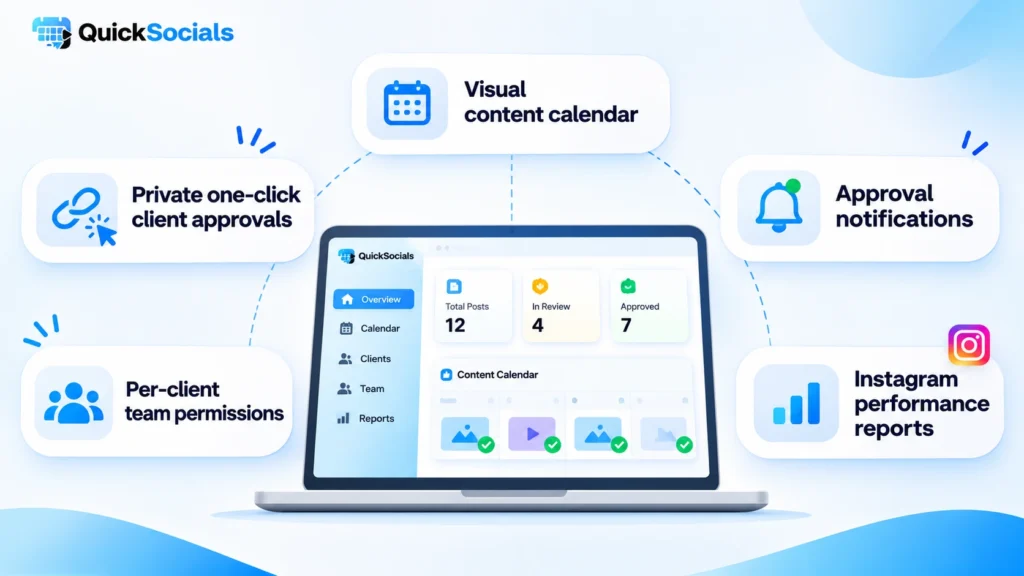
QuickSocials is a Content Approval & Reporting Tool built for social media agencies, freelancers, consultants, and marketing teams.
It brings several everyday agency tasks into one organized workflow.
Private one-click client approvals: Each client receives a private review link. They can review, comment on, and approve content without creating an account or logging in.
Visual content calendar: Teams can organize posts, filter content by client, and drag posts to reschedule them.
Per-client team permissions: Agencies can invite team members and assign them to specific clients. This helps maintain separate client access and keeps information organized.
Approval notifications: Teams can receive real-time notifications when clients take action. Gold and Platinum plans also include reminders for pending approvals.
Instagram performance reports: Agencies can enter a client’s public Instagram handle, select a 7-day, 30-day, or 60-day reporting period, and generate a downloadable PDF report. Reports can include followers, average likes, engagement, content distribution, and top posts.
You can explore the QuickSocials content approval features to understand how these workflows fit together.
How Much Should an Agency Spend on Client Approval Software?
Before purchasing a tool, check whether its pricing matches your actual workflow. Consider client limits, user access, approval features, and reporting allowances rather than comparing monthly prices alone.
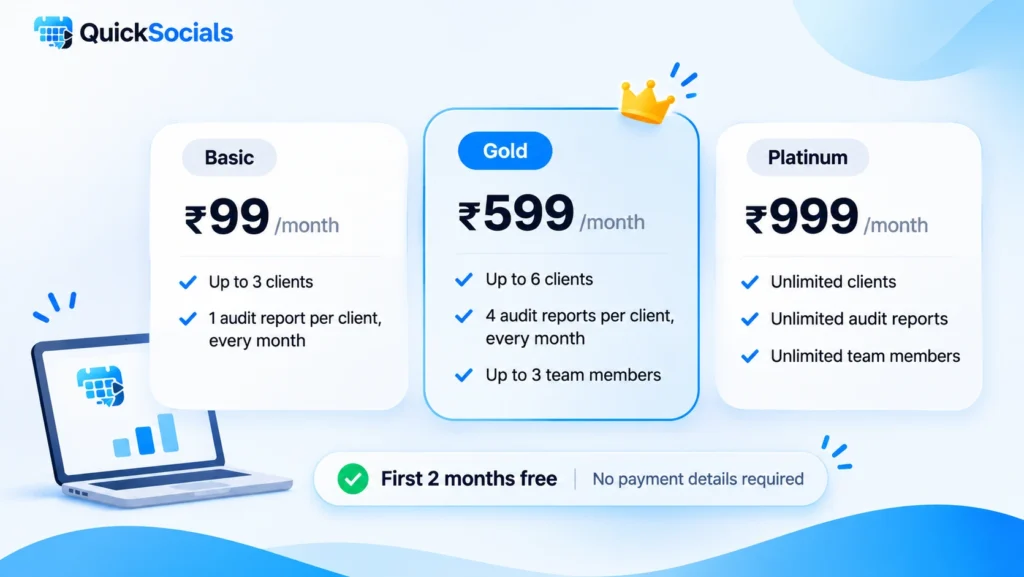
QuickSocials currently offers three monthly plans:
- Basic – ₹99/month: Manage up to 3 clients and generate 1 audit report per client each month.
- Gold – ₹599/month: Manage up to 6 clients, generate 4 audit reports per client each month, and invite up to 3 team members.
- Platinum – ₹999/month: Manage unlimited clients, audit reports, and team members.
The first 2 months are currently free, with no payment details required to get started. Check the QuickSocials pricing and plans for the latest details before choosing a plan.
Make Client Approvals Easier to Manage
Client approvals should not become the most time-consuming part of managing social media accounts.
With a clear review process and suitable social media client approval tools, agencies can organize feedback, track pending content, and give clients a simpler way to review their posts.
QuickSocials brings private approval links, a visual content calendar, per-client team permissions, notifications, and Instagram PDF reporting together in one platform.
Ready to spend less time chasing approvals and more time managing campaigns?
Explore QuickSocials and try the first 2 months free to see how its content approval workflow fits your agency.
Frequently Asked Questions
1. What are the best social media client approval tools for agencies?
The best option depends on how your clients review content, how your team handles revisions, and whether you need separate client access. Look for private review links, feedback options, approval tracking, and team permissions.
2. How can clients approve social media posts without logging in?
Some approval platforms provide private review links that clients can open without creating an account. QuickSocials offers this type of review link, allowing clients to review, comment on, and approve their content.
3. Why is a social media content approval workflow important?
A structured workflow helps agencies reduce scattered feedback, identify pending approvals, manage revisions, and clarify responsibilities. It also makes it easier to coordinate content across multiple clients.
4. Can social media agencies manage approvals for multiple clients in one place?
Yes. Platforms with client-specific views and permissions can help agencies organize different clients’ content and approval processes from one dashboard. QuickSocials supports per-client content management and team access permissions.
5. What should agencies consider before choosing an approval tool?
Agencies should compare client review access, feedback options, approval statuses, team permissions, content planning features, reporting capabilities, and pricing. The right choice should fit the agency’s existing workflow and client requirements.